3.1. Content Creation Pipeline
This is Lily's flagship content workflow. It guides you step-by-step to create multi-platform social campaigns:
Ideation
Tell Lily what you want to write about, or let her suggest trending topics based on your brand focus.
Topic Selection
Lily presents a collection of topic ideas on interactive cards. Click the checkboxes to select your preferred direction.
Format Selection
Select channels to draft for (e.g. LinkedIn, X, Medium). Type a specific angle or target keyword to guide the copy.
Platform Drafting
Lily generates tailored drafts for each selected platform. View them in tabbed layouts, edit, attach images, and approve.
3.2. URL Drafting & Content Extraction
If you find an interesting article, blog, or competitor post, you can turn it into original campaign outlines:
3.3. Document Reading & PDF Summarization
For whitepapers, data reports, or brand guides:
“Extract the key stats on page 4”). Lily will run keyword searches to extract precise info.3.4. Influencer Discovery & Automated Connection
Find creators to collaborate with or analyze competitor profiles:
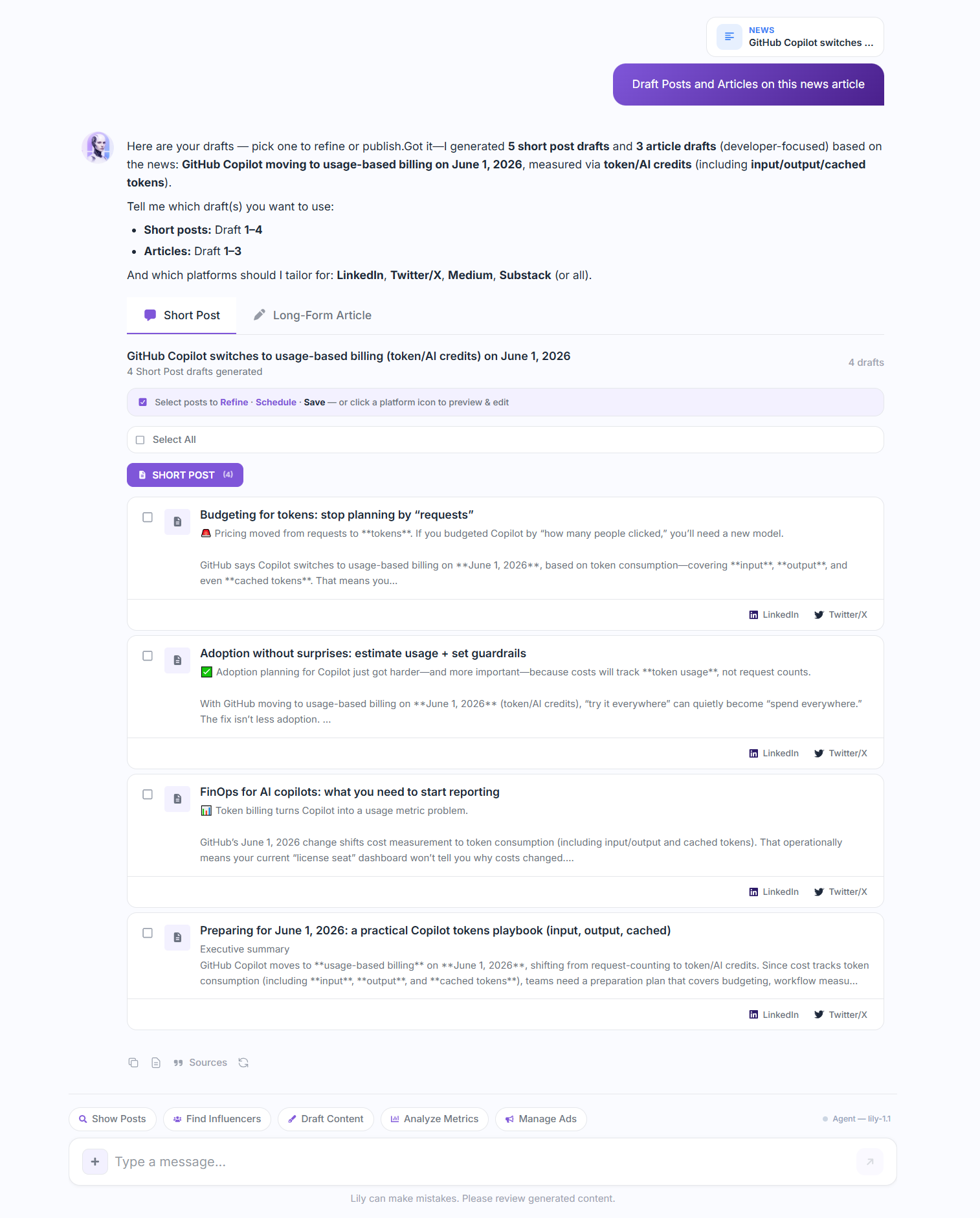
FindInfluencers: [Niche] in the chat input.3.6. Industry News Hub
Keep your pulse on your market:
Lily monitors industry news sources based on your brand persona settings.
Open the News Canvas to browse recently published articles scored by relevance.
Click “Draft from Article” on any item to launch a Content Pipeline flow.
3.7. Interactive Editors (The Canvas Panels)
When you need to edit media or review layouts, Lily opens a dedicated Canvas:
Shorts Script Editor
Review generated scripts line-by-line with estimated video durations. Edit audio narration, visual scenes, and background music suggestions.
Image Design Canvas
Review generated AI image assets. Add custom text overlays (e.g. titles, quotes) and edit text sizes, font weights, colors, and layouts directly on the canvas before saving.
Publishing Panel
Select multiple connected accounts. Preview how the post will look on desktop and mobile. Choose to publish instantly or schedule it for a specific date and time.
3.8. Brand Memory Management
Lily accumulates knowledge about your style over time:
Auto-Update
If you tell Lily “*I don't like using emojis*” or “*Our company name is spelled with a lowercase 'i'*”, she will automatically save these preferences in your workspace's MEMORY.md file.
Manual Management
Visit your Settings page and click the *Memory* tab to read your active memory guidelines. You can add rules, edit guidelines, or delete outdated preferences, then click “Save Memory”.
3.9. Daily Briefing Digests
Get a daily summary of your brand performance and news:
3.5. Social Search & Research
Research what is trending or check what competitor pages are posting:
Topic Search
Ask Lily to search for posts, articles, or tweets on a specific topic. She will fetch recent posts and display them in a carousel.
Video Transcription & Sentiment
Paste a YouTube link, and Lily will fetch the video transcript, summarize the core thesis, and run a sentiment analysis on the top comments.