4.1. Content Calendar & Tasks
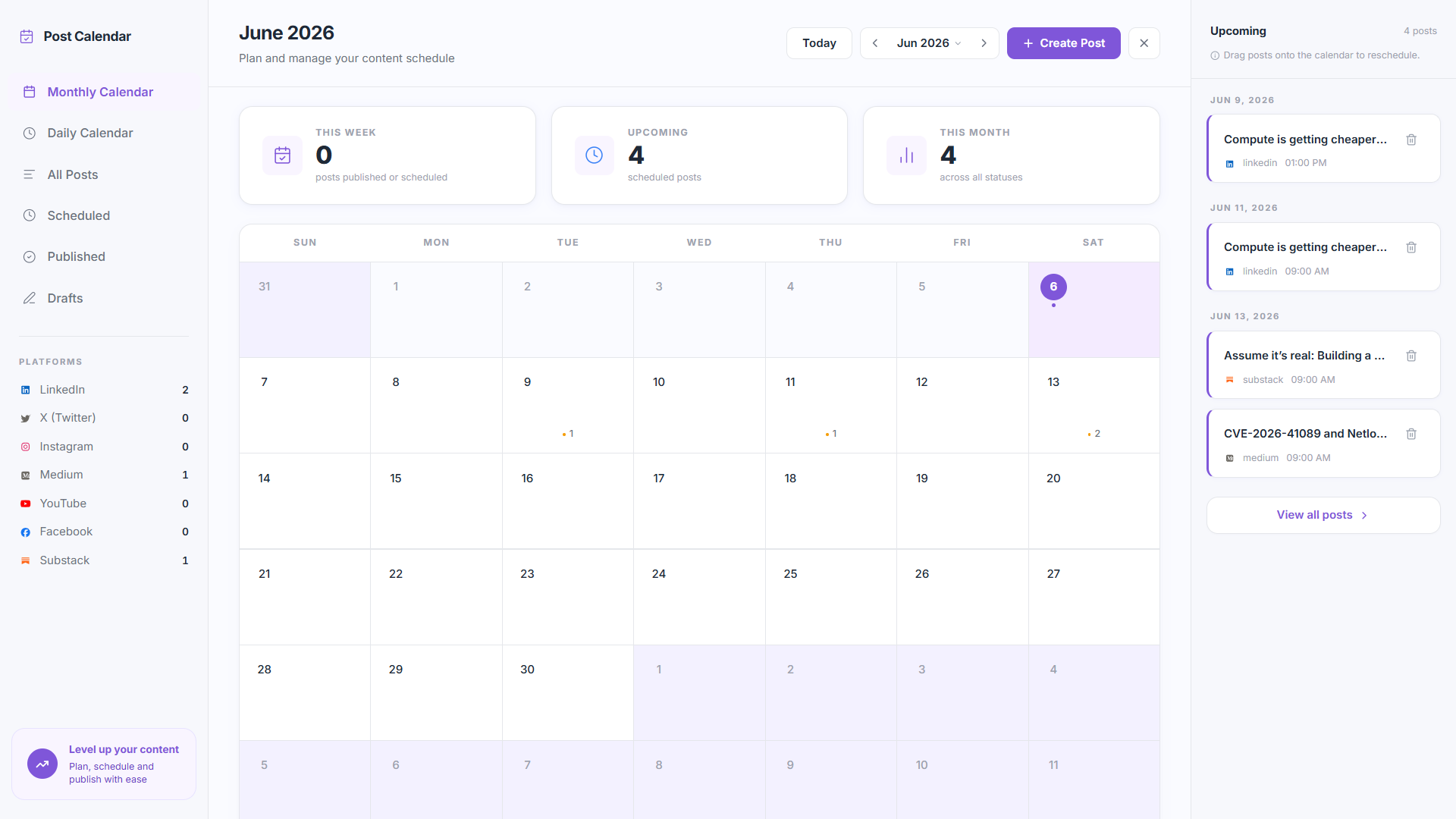
The Content Calendar is your central scheduling hub. It lists all active campaign drafts, automated publishing slots, and metrics data:
Saved Outlines
Content ideas and outline drafts saved securely in your calendar, ready to be expanded and scheduled.
Automated Queues
Posts that have been approved and scheduled to be published automatically at their assigned date and time.
Successfully Published
Content that has successfully uploaded to your active social pages. Live URL links are stored in the post cards.
Publishing Issues
Posts that encountered API errors (e.g., expired tokens, network dropouts). You can review log details and retry publishing.
4.2. Metrics Dashboard
Monitor your digital presence in one place:
Consolidated Metrics
View aggregate follower counts, impressions, views, and engagement rates across all connected accounts.
Channel Filters
Toggle platform-specific tabs to inspect detailed items (e.g. LinkedIn views, YouTube watch time, X retweets).
Actionable Insights
Read automatically generated tips (e.g. “*LinkedIn engagement is 20% higher on Tuesdays*”) to optimize schedules.
4.3. Credits & Feedback
We track workspace API and generative actions using a transparent credit model:
| Action Description | Credit Cost |
|---|---|
| Send Chat Message | 10 credits |
| Create Platform Draft | 20 credits |
| Generate AI Image | 50 credits |
| Assemble Short Video | 40 credits |
| Publish / Schedule Post | 20 credits |
Need Help or Have Suggestions?
Click below or use the feedback button in the sidebar to open our support console.